Posts

Showing posts with the label online applications

What First, How Second
Image
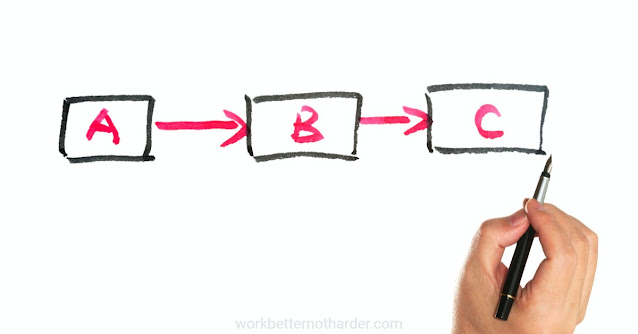
Buying or subscribing to a software application is never the solution to a problem. But it can certainly be part of the solution... or not. It's all about the process. An app can help streamline a process. Likewise, it can overcomplicate a process. It's all in the way you use it. Finding the right app or apps is important but mapping out the desired process flow should always come first. It's only after we've designed our process - and know our desired result - that we look for "an app for that". When mapping out your processes, start with the way the process currently flows. Draw it on paper or list it as steps in a text file. Then, suspend reality temporarily and map out what the most efficient workflow looks like. Describe the steps that you want to happen - the "what". Yes, you'll need to consider the "how" but don't limit yourself at this point. It's easy for me the recommend this approach; I've seen it work many tim...

I Want to Start Blogging: Now What?

Image
Think of it like learning to drive a car. You’ll need to learn how to drive and you’ll need a car to drive. Which comes first? Some of the learning… the theory part. You can learn about both driving a car and blogging easily enough online. That theory might consist of strategic information, tactics and instructions. Now, it’s hard to go any further without a vehicle. You can borrow a car from a friend, you can rent one, or you can buy one. Likewise, you have 3 options with blogging: Write guest posts for other people’s blogs. You’ll be limited in what you can share, subject to others’ approval and schedule. This option is quick and easy but unreliable as a long-term strategy. Use Facebook Notes or LinkedIn Pulse to publish your articles. You don’t really own them but you can pretend you do. If you can’t yet afford the effort and cost of getting your own car, err blog, this is a great alternative. You can immediately start putting what you learned into practice. Get a blogg...

Online Products Don't Sell Themselves

Image
Of course, we all know this, don't we? Yet there is a multi-million dollar industry based on DIY marketing that somehow makes us forget this VERY IMPORTANT aspect of our business strategies. Or perhaps it makes us feel overconfident in our abilities to both sell and market our own products. Being reminded of the work involved to prepare, and then sell and market an online product was my biggest takeaway (of many) from the day I spent with Frances Leary this week. I knew it, now I feel it... a refreshing dose of reality. So, even though I'm capable of doing much of the "work" part of my project, I'm paying for expert help so I can stop talking about it and get it done. Can I contain my inner control freak enough to let this happen? I'm determined. Click to Tweet this Article

Selling Public Workshops Online (Several Apps for That!)

Image
A simple process was all I needed to promote two workshops and manage registrations. But, as I often do, I decided to use the opportunity to try out some new ways to do things. Yesterday I put the workshops live for registration. Here are all the different applications I used or will use in my campaign to promote and manage the registrations. my website builder Canva Blogger Hootsuite Social Jukebox iContact PayPal JotForm - my newest favourite app Google Calendar Twitter Facebook Google+ LinkedIn and email Phew! Some of these are integrated, some not, but I had fun pulling it all together (mostly). And the next time I need to fill workshops, it'll take me a lot less time to put everything in place. photo by edkohler / Flickr Click to Tweet this Article

Your 'Thank You for Signing Up' Page

Image
A redirect page is a webpage where someone ends up after filling in your subscription form. This is something you have control over and it's worth putting a little effort into. After all, someone has just said they trust you enough to sign up for your newsletter - it's a good time to dazzle them with more of your brilliance and give them some value right away . Here is a screenshot of Anita Kirkbride's redirect page. When someone subscribes to Twirp's newsletter, this is where they end up. Here's why this page is great: It clearly describes what the subscriber signed up for. There's a free giveaway, which was promised in the call to action. There's a link to get immediate value by going to Twirp's blog. Also those cute little Twirplings at the bottom of the screen jump up and down... which made me feel kind of happy to have subscribed. Is it time to take a fresh look at your own redirect page? What is the most important message you want t...

If Efficiency is Your Goal, You'll Want These Tools

Image
“You’re assuming efficiency is my goal,” my good friend replied one day when I suggested a better way (to me) of doing something. Oddly, I might be inclined to say that about some parts of my own work (just not whatever it was we were discussing at the time). This is not a story about the dangers of assuming (although that could be another article). This time I want to dish out some advice about how to be more efficient (since Danielle doesn’t want to hear it). I’ve written before about my essential small business tools ( Part 1 and Part 2 ) but these ones below are especially important to my productivity . FreshBooks (aff) Immediately upon implementing FreshBooks, I saw an improvement in outstanding accounts receivable. Reminders are automated and I rarely have to follow up with anyone myself. No more wondering, "Did I already remind that client?" Canva I've been using graphics applications for over 20 years - for fun and work. Nothing beats Canva's ...

My Essential Small Business Tools (Part 2)

Image
A sequel to  My Essential Small Business Tools (Part 1) , I hope you haven't been holding your breath waiting. I compiled my list a year and a half ago and, after pulling it out to write this article, was happy to discover that it hasn't changed. I'm still using the same applications and that speaks to their real usefulness. Here are the remaining items on my list of handy dandy tools I use daily or weekly. Canva for Work This program intrigued me right from the start. It makes simple graphic design easy for the inexperienced. While I’ve been doing digital designing of some form for close to 20 years, Canva saves me time with its Abracadabra Resize. It’s not robust, like Photoshop, but it’s not meant to be. Simple and fast, I use it every single day. Hootsuite I use this as my primary Twitter interface. It also helps me manage my planned posts when it’s convenient for me. I use it to schedule my daily enewsletter tips for Twitter, LinkedIn, Facebook and Googl...

Online Presentation Skills of Utmost Importance

Image
A recent iContact webinar listed "lack of presentation skills" among the top content marketing challenges . The others are no time, fear, and lack of imagination. The term "presentation skills" makes me think of PowerPoint, not online marketing. It's certainly an apt description but what does it mean specifically? Technical skills related to using software applications Technical skills related to graphic design Creativity and an eye for design Hyper-attention to detail If you don't excel at these things, you should be delegating them to someone who does... and spend your time doing what you do best. An expert will help you overcome those other challenges , too! photo by alexander.lissa / Flickr Click to Tweet this Article

Successful Surveys: How to Ask for Information

Image
You really want to know what your clients think about your business. And getting suggestions and feedback from your subscribers would be a bonus. An electronic survey seems like the perfect solution. The reality is that only some of your close friends and fans will complete a survey because there is something in it for them (helping you). But you likely already know what they think. What's in it for everyone else? Stop and answer that question before you go any further. Ask for only what you absolutely need . The inclination will be to ask a lot of questions. But the more questions you ask, the less likely someone will be to complete your survey. For each question, think about what you will do with the result. If there is no action you will take, don't ask the question. To help whittle down your questions, consider what you would be comfortable asking if you were to do the survey by phone with your best customer. Offer an incentive. Expect to pay to get ...

Adding Audio to your Content - Part 2

Image
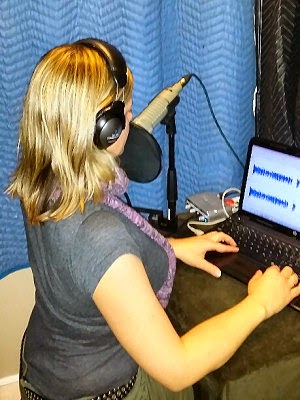
Natasha working in her studio *** Click to listen in rather than read Creating and sharing audio content makes good business sense for me as a voice actor. In Adding Audio to your Content, Part 1 , I mentioned that ALL business owners and sales people could benefit from adding the element of audio, not just those of us who are selling our voice. What to say? Introduce your business, or yourself, with a recorded greeting. ( Here’s an example. ) An elevator pitch - a compelling 30-60 second story of what you do... A call to action - something you would like the listener/reader to do – sign up for your blog, call you, order your product... A summary, or explanation, of your services. But where and how do you add audio content? Your blog site will (likely) allow you to add an audio file anywhere in the body. Sharing your blog will then share your audio, too. Want to share it in your newsletter or on social media? Upload your audio to SoundCloud . You can share it dire...

Once You're Hooked...

Image
I came across what seemed like an amazing deal on web hosting. Because I'm very familiar with the company making the offer, I paused to have a better look. Wow, I was thinking, they're really cutting prices to get business. Because I'm familiar, it also seemed a little out of character. So, I went hunting for the small print and there it was in tiny light grey at the bottom. Only 99 cents a month but it only applies to the first month . How many people are going to feel a little ripped off or a little stuck when they realize what they signed up for? Quite a way to deflate a new website experience. Now I know there are all sorts of businesses that use a prepaid subscription model. It's easy to to say all the info is there, but what if your customers don't understand it? It's a business model that relies on uneducated consumers. Wouldn't it be better to have a business model where people know exactly what they're signing up for and exactly what ...

Free is Free for a Reason

Image
At a recent workshop, I was asked about free email marketing applications. My answer provoked a lively discussion and not everyone agreed with my position. You have many choices of bulk email service providers and each has good points and bad points. Turning out a good looking newsletter depends on using suitable software and on being quite proficient with it - whether it’s a free app or not. Free apps (or free versions) will have some or all of these drawbacks: limit on the number of subscribers limit on the number of emails you can send limit on image storage space limited options for layout and design limited or no available statistics no archive of past issues no RSS-to-email functionality limited or no auto responder functionality limited or no segmenting functionality inability to manage subscribers on multiple lists poor functionality of social media sharing buttons no auto posting to social media accounts YOU ARE ADVERTISING FOR THE APPLICATION Most of the...

My Essential Small Business Tools (Part 1)

Image
Whenever I get together with other business owners over lunch or coffee, the conversation often flows to a discussion of how to be more productive. What processes are we using? What contractors are helping? And what tools or apps are useful? I love this sharing of ideas and found out about many of the tools I use regularly from these chats. Those listed below are ones that I use at least weekly - often daily - and consider essential to managing my business. Google Calendar In the newsletter business, we have to keep track of a lot of dates - reminder dates, preparation dates and issue dates - for all our clients on varying schedules. Google Calendar has been invaluable, not only as an organizational and tracking tool, but also as a communication tool because it lets me share my calendars with work colleagues. I have my own calendar of appointments and events, plus a calendar to track all of the important newsletter dates. I use the email and pop-up reminders so I don’t forget a...

Searching for Creative Commons Images

Image
I have fun searching through images, looking for "just that one" that is a visual expression of my written words. Usually I want a look that is less staged than a purchased stock photo. You can access Creative Commons licensed images directly from their website via a number of sources. But I have a Flickr account, so that is where I head first. Once you go to Flickr , here is how you search: First, enter your search term - I used 'newsletter' - and click the magnifying glass. On the next screen, click on 'Advanced Search'. The next screen gives you a variety of search options. Near the bottom, you'll find the Creative Commons option. Select it and then click 'Search'. Make sure you give proper attribution to the photographer - their 'handle' or name and a link to the image. There will be a link which gives you detailed info about the license type - it's always good to double-check. Warning : minutes and even...

Repurpose Articles into Infographics

Image
I'm a big fan of repurposing content for two reasons: It can save me time . People have different ways of learning. Different formats for the same material will ensure a broader reach. Summing up a past article in a graphical format is a great way to appeal to a different audience. Pick an article that can be summed up into bullet points. Then turn those bullet points into a graphical format. With the proliferation of infographics, we now have lots of choices of apps to make it easy for us to create our own: infogr.am piktochart.com Hubspot’s templates canva.com Here are a few examples of our own infographics: Elements of eNewsletter Success  (used Hubspot's templates) 9 Ways to Personalize Your Newsletter  (used Canva) 4 Ways to Constantly Grow Your List  (used Canva) In her article Marketing with Infographics , Janet Slack suggested these other creative uses for infographics: Share testimonials Showcase your expertise Share customer statistics...

Guest Post: 7 Steps to Integrating eNewsletters with Social Media

Image
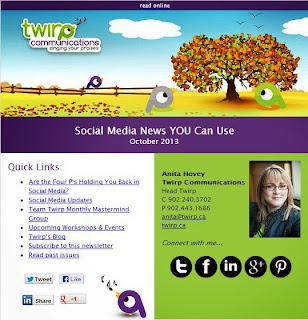
Anita's newsletter Anita Hovey, Head Twirp at Twirp Communications , was kind enough to do a lunch and learn workshop with me to show people how social media and enewsletters work so well together. Here's the article she wrote to sum it up. Does your newsletter help your social media? Or is social media helping your newsletter? Whether you’re sharing, connecting or promoting, the two go together like milk and cookies. Integrating enewsletters with social media is really quite simple and there are many ways to do it.  How does your newsletter help your social media?   According to a recent study published by eMarketer, 48% of marketers include “forward to a friend” features in their e-mails, but only 13% include features that make it easy to share content on social networks. If you’re still sending out your email newsletter as a PDF attachment, or heaven forbid, a picture within the body of the email, you’re missing out on a lot of opportunities for social media post...

Picking and Choosing

Image
I am often talking about the value of networking and the importance of online strategy and social media engagement. The most common problem people express to me in these conversations is... "How do I engage without being a bother?" This question used to confuse me. I would talk a LOT about value in what you offer, when I answered. In other words, if you are offering value, how could you be a bother? What I have come to realize is that this questions is not always driven by the content or volume of an individual poster. It is often about the volume of content online in general. People are feeling overwhelmed. The solution? Approach online the same way you do any other network development. Find the posters that are putting out consistent value. The ones that are wrapping up the best of the week, vetting content and connecting with their readers. If they are answering, participating and putting out real value, you have found a literal goldmine. Choose who you f...

An Adventure in List Cleaning

Image
photo by perthclotheslines It felt like doing laundry. Throw in the dusty email addresses and out come clean ones, with all the grime left behind. List cleaning involves 2 basic steps: identifying email addresses in your database that no longer exist or have been spelled wrong removing non-existent email addresses and correcting obvious typos List cleaning was a new experience for us. We had anticipated it might be needed at some point so had done some research – enough to know that there were many options available online. We figured it should be easy to do when the need arose. When the need did arise recently, I clicked my way to those apps we'd flagged as promising. I quickly discovered that it wasn't going to be as straightforward as I had imagined (and hoped). The first 2 apps I tried left me scratching my head in puzzlement. With no time to waste on a big learning curve, I did a new search and decided to try ListWiseHQ. What a pleasant surprise! It w...

Customer Service in a Box

Image
photo by Gertrud K. You know when you land on a website and, before you've had a chance to take a breath, a box pops up over top of the text you were just reading? “Can I help you?” How does that make you feel? Startled? Annoyed? A little creeped out? I’m a fan of pop-up boxes, but only when I’m the one that can push the button to make them pop up. I've used them lots to solve all kinds of online problems fast. When they pop-up unexpectedly, it makes me feel like someone’s been watching me. And it’s always too soon... before I've even formed my first question. Recently I was searching for a list cleaning application and didn't have time for a long learning curve. After trying a couple of other sites, I went to ListWiseHQ . I was impressed to find all my options and the applicable prices laid out clearly on the home page. I was thinking, “This might be the one.” Then Gladys popped up. Gladys was in one of those pop-up boxes. Not in front of ...

A Brand New Flickr

Image
I've been a Flickr Pro member since long before I was on Facebook or Twitter. That's because I'm a gardener and it's great for photo-sharing with friends. Flickr also provides a good way for me to organize my photos and keep track of them. It doesn't matter how many times I change computers, my garden photos will always be online where I can find them. Daley Progress has also been using Flickr to display examples of our work - an easy interface for potential clients to browse. I was delighted to discover yesterday that Flickr introduced a new user interface that is so beautiful - and so long overdue. While Flickr was always great for organizing, browsing wasn't nearly the experience is it now. screen shot of a Flickr set While it may not be obvious (and perhaps should be more so), Flickr is also social. I'm connected with other gardeners in different places. I can tweet and like and favourite other's photos. I still think Flickr could be more...