Posts

Showing posts with the label images

Your Marketing Images Represent Your Business

Image
If you were holding a dinner where each plate sold for $150, would you buy the invitations at the dollar store? No? So don't promote anything important for your business with a free overused 5-year-old Pixabay image. There are options - lots of options - rather than intimating your business is a bargain brand. If you don't spend a bunch of time searching Pixabay or other free sites, you may not know what's been overused and common - here's an app for that . And you can also check the upload date, although that doesn't mean the photo was taken then. If you're going to use free photos, pick more recent releases. Unique and eye-catching is your goal. But you don't want to pay $20 for a stock photo for each new blog post or newsletter article. What are other wallet-friendly options? #1. Snap your own photos. This ensures uniqueness and the price is the best you'll get. Of course, the eye-catching part will be up to you. #2. Engage a friend or ...

Small Business Blogging Tools and Resources

Image
Whether you're getting started or have been blogging for awhile, you'll find this collection of all my favourite business blogging resources here in one place. Idea Generation Tools hubspot.com/blog-topic-generator creativity-portal.com/prompts/imagination.prompt.html workbetternotharder.com/2014/04/reusable-content-ideas-to-get-you.html Outlining and Writing Resources Quick and Easy Content Creation Workbook podiumcoaching.com/store/free-resources/#!/Tighter-Brighter-Writing/p/45076103/category=11489027 hemingwayapp.com Headline Analyzer coschedule.com/headline-analyzer Image Sources and Tools workbetternotharder.com/2017/03/favourite-free-image-sources-and.html Creating Graphics twirp.ca/2017/01/social-media-image-sizes/ pablo.buffer.com snappa.com canva.com crello.com spark.adobe.com typographyeditor.com Recycling Content workbetternotharder.com/2016/04/my-blog-post-recycling-process.html twirp.ca/2016/06/recycle-content-infograph/ Do you h...

Using Pinterest to Create Brand Moodboards: Part II

Image
(guest post by Alison Knott) Nailing it down with a pin! Now that you’ve spent some time getting up close and personal with other brands in Part 1 , it’s time to find those patterns on Pinterest! You know 30 ways to look for ‘healthy snack recipes’ (who am I kidding, I’m married to Frito-Lay), so I know you’ll be set to start searching on Pinterest. But don’t stop at the obvious keywords like ‘bespoke logo’ or ‘life coach brand’. Branch out to of all kinds of brand application. Parrot Party: our new venture For this exercise, let's pretend you're starting an online store and forum called Parrot Party - a site for all the things parrot owners want and need. Most parrot-owner related websites are just breeders with old websites, and you want something that's going to appeal to parrot owners. Fresh, vibrant and speaks to owners ready to spend big bucks and share their knowledge on owning these birds. They choose to live with loud, colourful pets that live for 30+...

Using Pinterest To Create Brand Moodboards: Part I

Image
(guest post by Alison Knott) So you’re starting the process of making a brand or logo for your new business. Or, you’re about to hire someone to do it for you. Congratulations! It’s now time for the daunting task of articulating whatever the hell is in your head into something concrete. Eep! I’m here to help you help yourself. It can seem difficult to put into words how you do (and do not) want to represent your brand that doesn’t exist yet. So… how do the pros do it? We do research and create moodboards, which are a visual collection of images, colours and graphics to illustrate a certain mood . Now, as a brand designer I use Adobe InDesign and Illustrator to put final mood boards together for my clients. But you want to know what has saved me and my clients so much time? Having clients send along their own little Pinterest brand modeboard collection to help me get inside their head. Yes! That thing you’ve been using to save 783 pictures of living room renos you’re nev...

Complex to Simple: Images for Social Media Posts

Image
Rocket Science Version The sizing of images for the various social marketing platforms, post types, and headers is becoming a bit complex. In fact, it would be a very practical way to teach equivalent fractions and geometry in Grade 9. But if you're long out of school and want all the details, get them on Twirp's Cheat Sheet: The ONLY social media image sizes you need to know . Squares and Rectangles The diagram below shows a very simplified rule of thumb for matching image shapes to social media posts on common platforms. Size Matters While bigger is better, it often means a larger file size and then icky compression stuff happens and... well, you've probably seen it on other people's feeds. I suggest your squares be a minimum of 600px by 600px; and 1200px by 1200px is about the largest you'll need. For rectangles, use minimum 600px by 300px, or maximum 1200px by 600px. originally published in Work Better, Not Harder newsletter August 31, 2017 Clic...

An Image Tool You Don't Know You Need

Image
Sitting in the home office of a friend last year, she mentioned she would love to find a particular photo to use on her new website. She unpinned a much-handled postcard from her bulletin board and passed it to me. The black and white photo on the front was of a young girl on a beach in a very specific pose. We spent a half hour doing intricate searches on photo sites before it became obvious we weren't going to find it easily. Debi snapped a photo of the postcard and emailed it to me. Once back at my desk, I discovered TinEye reverse image search and was amazed when the search identified where I could buy the photo... in colour. I felt that my first use was a pretty darn good test - a battered black and white postcard, photographed with a phone in poor light. I filed away my knowledge of this little tool for when it might be needed in a similar situation. I'd be able to come to the rescue again. Then someone else told me about this great tool called TinEye - fo...

Crello is Not Just Another Pretty Graphics Tool

Image
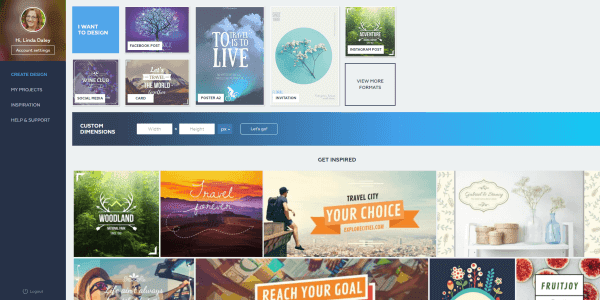
screenshot of Crello home page Just when I thought I didn't need another graphics tool, along came Crello ... yesterday. It's brand new (and I haven't been able to break it yet). If you're frustrated with trying to use Canva , this might be the solution for you. The interface is very much like Canva, yet Crello has veered away in the right places. I've always found the way Canva handles images as backgrounds and layers to be awkward; Crello takes a more simplistic approach. Crello has 6,000+ free templates and 10,000+ free design elements! I know that's going to be exciting to many besides me. Crello lacks some of my favourite Canva features, especially magic resize. But its ease of use and more intuitive interface is winning me over. I know I'll be exploring those 6000+ templates for many many more hours to come. For more info about Crello's functionality, read this press release . Or pop over to Crello.com and jump right in. Have fun, it...

Colour Palettes for Spring Marketing

Image
As I post this article, it's snowing heavily here in Nova Scotia. I'm very optimistic that spring will arrive... sometime. My husband and I are itching to get outside in the garden so, when I think of spring, I think of outdoors. Here are some colour schemes that make me think of spring. All photos are free from pexels.com . I saw this photo and immediately thought, "Fresh start!" Looks like a great place for a walk. The lime green is so bright and optimistic. The Easter Bunny outlined in buttercup yellow. All shades of green are reminiscent of spring. It wouldn't be spring without red tulips. Great contrast here. Spring travel to the tropics makes me think of soft pastel ocean scenes. Pass the wine. What does your spring marketing campaign look like? Click to Tweet this Article

Favourite Free Image Sources and Graphics Tools for Small Business Marketing

Image
Wondering where to find free images for your newsletter or blog? These are the most common sources we use for free images: FREE: http://pexels.com http://pixabay.com http://gratisography.com https://www.goodfreephotos.com http://www.freeimages.com https://morguefile.com http://unsplash.com FREE with Attribution: https://creativecommons.org Here are some graphics tools we use often: Create favicons for your website or blog  http://www.favicon-generator.org Create buttons easily  http://dabuttonfactory.com Convert graphics files from one version to another  https://cloudconvert.com Colour picker for Chrome  http://eye-dropper.kepi.cz Compress images  https://tinypng.com Of course, snapping your own photos is always a great choice! photo by Live to Create Photography / Flickr Click to Tweet this Article

Colour Palettes for Fall Marketing

Image
An image might be worth a thousand words but it's actually worth more in colours, likely several hundred thousand. No doubt a photo will first catch your eye because of the overall composition, and the foremost colours play a role. Not only do each of us see colours differently , we feel about them differently, too. We think of autumn colours as vibrant reds, golds and oranges, or muted browns and greens. But they can also be cool shades, like frost on the morning grass or the pale blue sky. What does your fall marketing campaign look and feel like? Here are some traditional colour schemes, plus a couple of not so common themes to spice up your fall marketing. All of these images are free to use and can be found at pexels.com . These are the colours of October and Thanksgiving - bright, warm colours. For Halloween, add some purple for a sense of the mysterious. Muted shades, these colours feel outdoorsy and healthy. This scheme feels se...

Colour Palettes for Summer Marketing

Image
A photo can be a powerful marketing message , an expression of brand with more impact than a logo. It's worth a thousand words and expressed through many thousands of colours. We have feelings about the image itself and about the colours. You know how you feel when looking at a beautiful photo of sand, sun and surf? Aquamarine, white, pink, and deep blue. Even if you don't own a bathing suit, you want to be there. Summer colour schemes can be bright and vibrant, or cool and relaxed. What does your summer marketing campaign look and feel like? Here are some photos that inspired me. I've included html colour codes and links to the original photos on pixabay.com if you want to download for yourself. Can a fallen leaf be elegant? I think this one is - elegant and earthy. And, if I have time to contemplate this leaf, I must be feeling relaxed and at ease. Gazania are attention hogs in the garden with their warm colours and pinwheel designs. ...

Why Graphics are an Important Part of Your Content

Image
Not everyone is a 'visual' person, by preference or physical circumstances. But many are, which is why you can't ignore graphics as an important piece of your content. Can I convince you? Today we are exposed to about five times more information daily than we were in the mid-1980s - around 34 gigabytes of information, roughly equivalent to 174 newspapers. Out of necessity, our attention spans have become shorter as we attempt to process information faster. Over 50% of the human brain is devoted to processing visual information, and 70% of our sensory receptors are contained in our eyes. This means people are good at processing and remembering pictures . In fact, it only takes the average person one-tenth of a second to understand the content in a picture. It would take that same person over 30 seconds to read a description about the content in that same picture… over 300 times longer. Since 2007, graphic content on the internet has increased by almost 10,000%! We h...

Image Insights [Wrap-up]

Image
Sometimes the image choice for your newsletter or blog post is obvious, but often not so much. This post wraps up our previous articles about graphic ideas and advice. Finding just the right image for your newsletter or blog can be time consuming and frustrating, whether you're creating it yourself or buying someone else's. Read  How to Find the RIGHT Image for tips to help shorten the process. Once you get started looking for images, you will find a wealth of copyright free or free photos you can use with credit attribution. Read Graphic Solutions for places to find images and more. Sometimes you want a look that is less staged than a purchased stock photo. Read Searching for Creative Commons Images for directions to search images via Flickr. Infographics are a great way to represent information differently than you have in the past with words. Read  Repurpose Articles into Infographics for tools and tips to create your own infographics. Create your own word ...

Your Newsletter Headshot

Image
If you want to make a personal connection with your readers, and be remembered, you'll want to include a photo of yourself in your newsletter. Here are some of the things to keep in mind, especially if you are planning to have new photos taken. Your headshot should look like you now , not 5 years ago. Wear similar clothes to what your ideal customer would wear. The direction you're facing in the photo generally dictates where the sidebar will go in your newsletter. You don't want to be looking off the page. For newsletters, a right sidebar is more desirable, so a left-facing or front-facing photo is preferable. Of course, this is the opposite of how you want to be facing for LinkedIn and Facebook avatars. Wide banner-like panorama photos are popular now across the top of website pages. An example might be someone standing on a beach with their head in the foreground and a slightly blurred background of the water and beach behind them. These panorama photos are ...

Searching for Creative Commons Images

Image
I have fun searching through images, looking for "just that one" that is a visual expression of my written words. Usually I want a look that is less staged than a purchased stock photo. You can access Creative Commons licensed images directly from their website via a number of sources. But I have a Flickr account, so that is where I head first. Once you go to Flickr , here is how you search: First, enter your search term - I used 'newsletter' - and click the magnifying glass. On the next screen, click on 'Advanced Search'. The next screen gives you a variety of search options. Near the bottom, you'll find the Creative Commons option. Select it and then click 'Search'. Make sure you give proper attribution to the photographer - their 'handle' or name and a link to the image. There will be a link which gives you detailed info about the license type - it's always good to double-check. Warning : minutes and even...

Repurpose Articles into Infographics

Image
I'm a big fan of repurposing content for two reasons: It can save me time . People have different ways of learning. Different formats for the same material will ensure a broader reach. Summing up a past article in a graphical format is a great way to appeal to a different audience. Pick an article that can be summed up into bullet points. Then turn those bullet points into a graphical format. With the proliferation of infographics, we now have lots of choices of apps to make it easy for us to create our own: infogr.am piktochart.com Hubspot’s templates canva.com Here are a few examples of our own infographics: Elements of eNewsletter Success  (used Hubspot's templates) 9 Ways to Personalize Your Newsletter  (used Canva) 4 Ways to Constantly Grow Your List  (used Canva) In her article Marketing with Infographics , Janet Slack suggested these other creative uses for infographics: Share testimonials Showcase your expertise Share customer statistics...

How to Find the RIGHT Image

Image
A friend asked me to help her out by finding images of people talking on the phone to be used to market a new service. I like crestock.com for images (because they’re reasonably priced and easy to buy from) so I logged in and started searching for ‘manager on phone’. Great – 3030 images in the search results. I started scrolling through and saving images to a collection for later review. Good images, but none of them were really ‘speaking’ to me. Then I came across this one . It spoke to me – it stopped me and made me laugh. It reminded me of similar circumstances that I’d been in. Who hasn't goofed around at work now and then? The headline I imagined was: “Are your sales people avoiding the phone?” If I had known the headline first, I could have zeroed in on images that resonated it, rather than wading through hundreds of bland images of people talking on the phone. If you’re going to search for images , develop a few headlines first. When you have more than a broad sub...